Before You Begin
Make sure you have:
- Your LTC login credentials
- Access to a computer or mobile device with an internet connection
Steps to Access Your Tax Form
Log in to LTC Experience
Sign in to the LTC Experience portal using your username and password.Open the Student Record tile
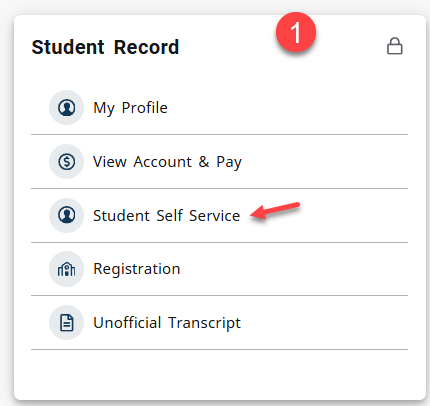
On the main dashboard, locate and select the tile labeled Student Record.Go to Student Self‑Service
In the Student Record area, select the link named Student Self‑Service.
(Image 1 shows the Student Self‑Service link location.)Select Tax Notification (1098‑T)
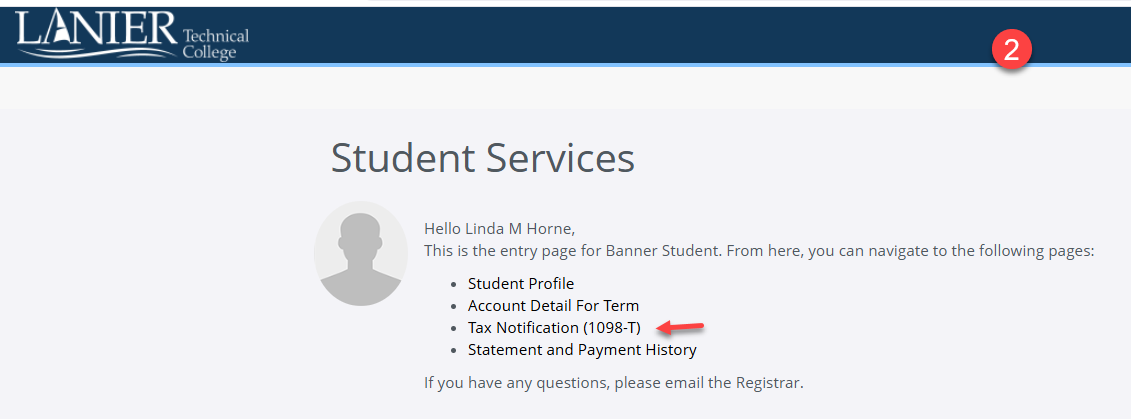
On the Student Services page, choose the link labeled Tax Notification (1098‑T).
(Image 2 shows the Tax Notification link.)Choose a tax year
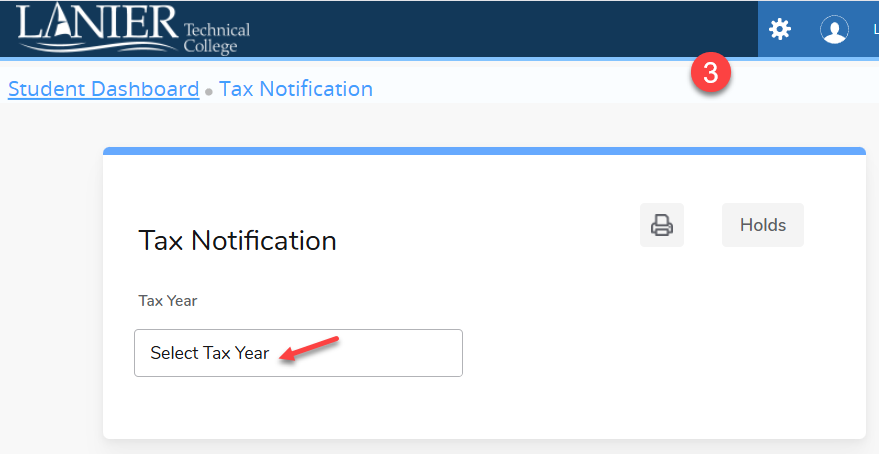
When prompted, select the year you want to view from the available options.
(Image 3 shows the year selection area.)View and print your form
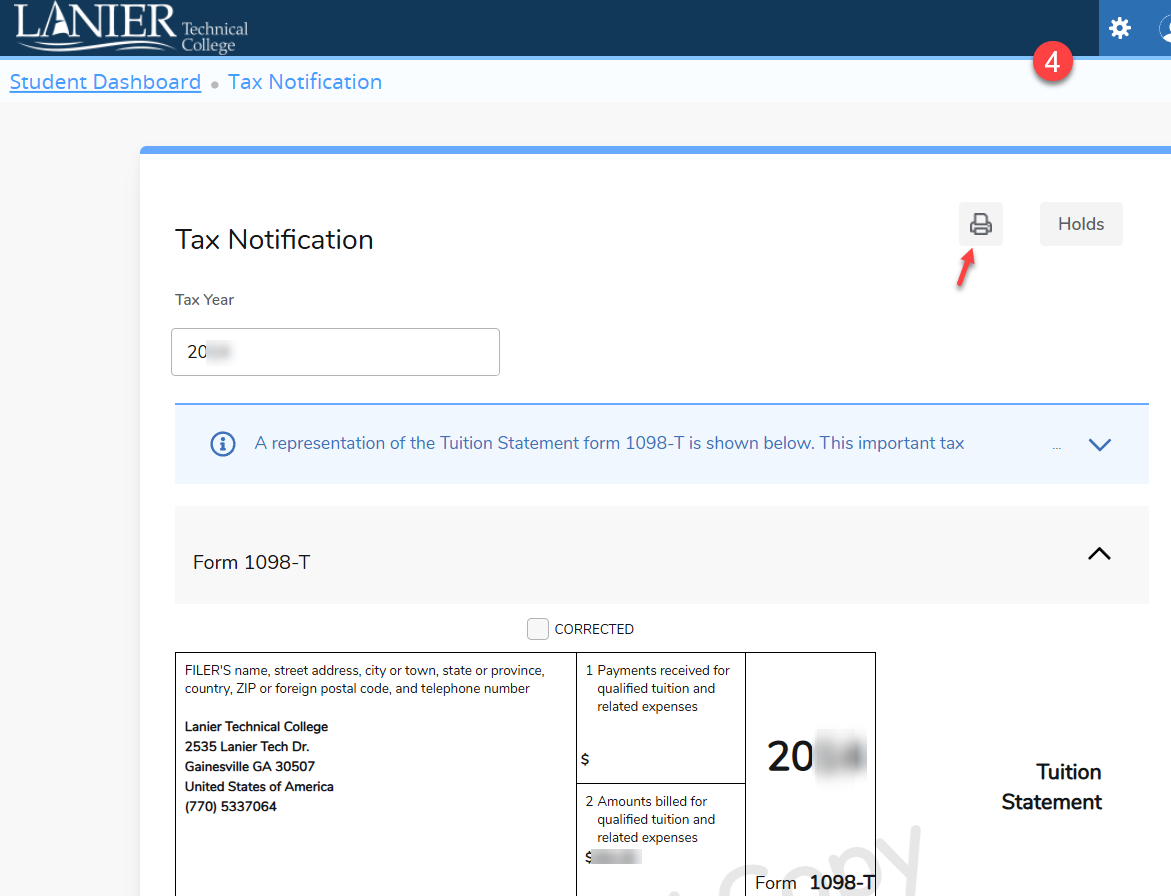
After the form loads, use the Print option to print or save a copy for your records.
(Image 4 shows the print option.)
Need Assistance?
If you have questions or need help accessing your 1098‑T form, contact the Registrar’s Office:
Email: registrar@laniertech.edu