Degree Works Student Program
After you login to your LTC student Laker portal, click on the DegreeWorks icon (see below). There you will have all the information about the program you have elected. Also, it is best that you contact your student Advisor to request assistance on what class(es) you should register for and to answer any questions you may have about the program. Your student adviser's name will show up in DegreeWorks near the top of the webpage.
DegreeWorks icon:

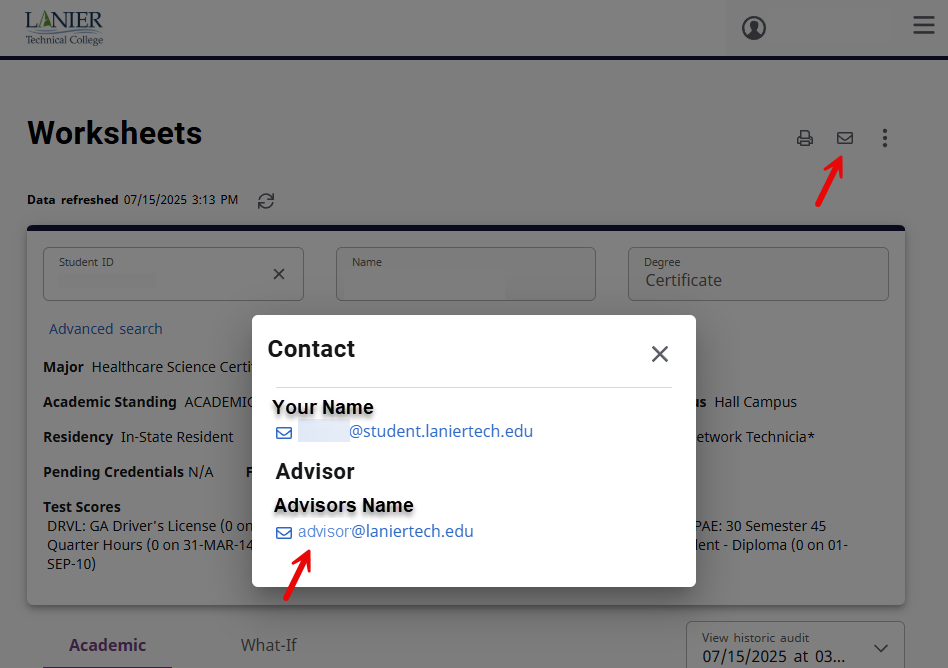
To locate your advisors email address, click on the envelope icon at the top right of the webpage (see below). A pop up box should appear with both your email address and your advisors email address.